Signature Background Remover
Remove paper, white, or distracting backgrounds from a handwritten or digital signature, then continue in the workspace to prepare a transparent result.
Upload a signature image to remove background from a signature online, then review a transparent signature PNG before using it in a document, certificate, form, email layout, or design file.
Remove paper, white, or distracting backgrounds from a handwritten or digital signature, then continue in the workspace to prepare a transparent result.
Upload a signature image to remove background from a signature online, then review a transparent signature PNG before using it in a document, certificate, form, email layout, or design file.


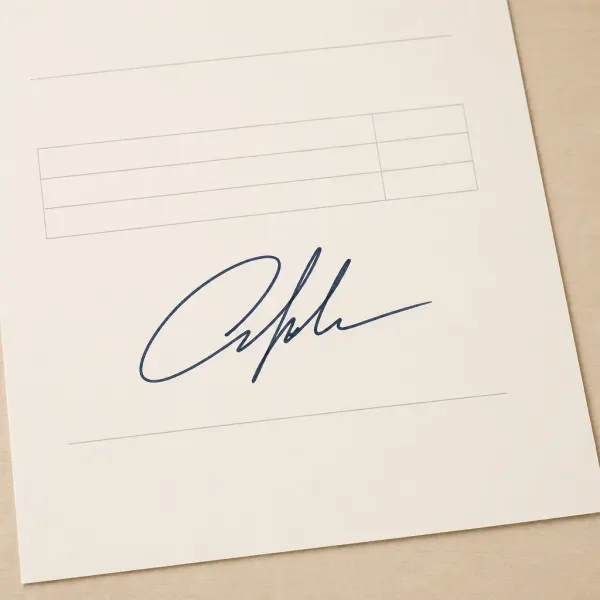
Signature background removal example
Turn a paper signature into a transparent PNG
Start with a sharply photographed or scanned signature where the ink stands out clearly from the page.
 Original signature
 Transparent PNG
Clear, high-contrast ink and generous space around the signature help produce a cleaner edge for documents, certificates, and design layouts.
Use a transparent signature in everyday document work
A transparent signature is easier to place over documents and layouts without carrying the white paper around it.
 Documents
Prepare signatures for forms and documents
Remove the background from a signature image before placing it in a form, letter, agreement draft, or other document layout.
 Certificates
Place a clean signature on certificates
Use a transparent signature PNG when a certificate or acknowledgement needs a signature graphic that blends into its existing design.
 Design
Keep signatures ready for design files and email graphics
A background-free signature can be easier to position in presentation slides, branded stationery, or an email-signature layout.
Check the source before you remove the background
Input quality affects the edge you see after removing a signature background.
Create clear contrast
A darker signature on a lighter, plain surface is generally easier to separate from its background.
Current scope
Dark ink
Avoid strong shadows
Photograph or scan the signature in even light so shadows and paper texture do not compete with the ink.
Current scope
Even light
Keep the paper flat and focused
A flat, focused image makes it easier to inspect thin strokes and connected letters in the workspace.
Current scope
Flat paper
Review fine strokes before final use
Review the result at the size you will use it, especially around fine pen strokes and loops.
Current scope
Review edges
How to remove background from a signature
Start with an image of the signature, then use the image workspace to review and export the result.
Upload your signature image
Choose a PNG, JPG, JPEG, or WebP file with the signature clearly visible against the paper or current background.
Remove the paper or current background
The image workflow isolates the signature from its surrounding background so you can review the subject edge in the workspace.
Review and download a transparent PNG
Check the signature at a useful size, then download the transparent result for your document or design workflow.
Pricing That Fits Every White-Background Workflow
Start free, choose a recurring plan for steady production, or buy credits when you only need a few clean white-background exports.
Signature background remover FAQ
Practical answers about removing a signature background online and using a transparent signature image.
Prepare a transparent signature image
Upload a clear signature image, remove its background, and continue in the workspace to review a transparent PNG for your next document or design task.